
NoxRouteNeo
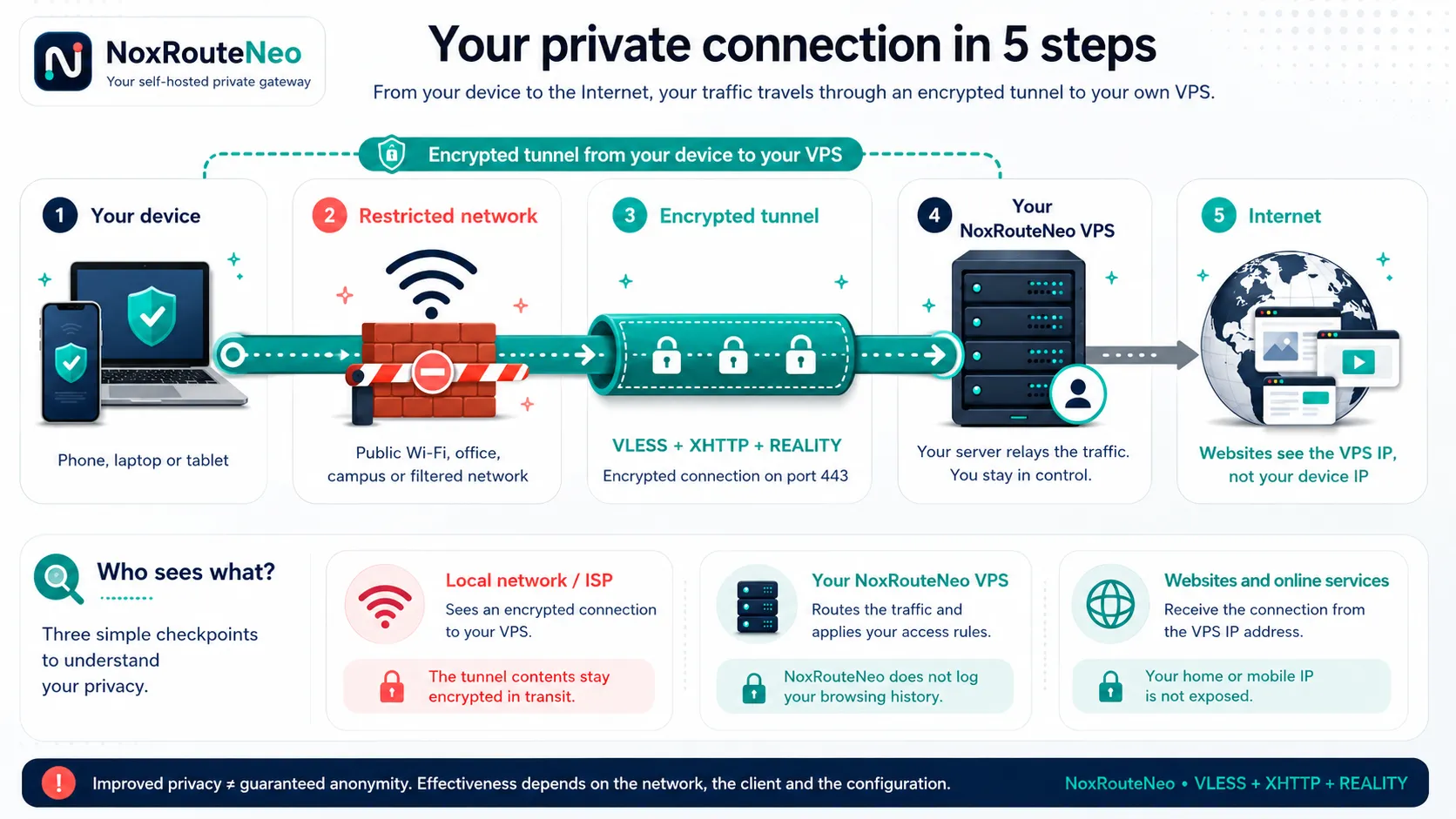
Traffic travels through an encrypted VLESS + XHTTP + REALITY tunnel to a VPS you control. Destination websites receive the VPS address rather than the device’s home or mobile address.
THE PRODUCT
One server. One understandable appliance.
NoxRouteNeo combines the VPN runtime, web portals, usage policies, certificates and local database in one Docker deployment. It is designed for a personal server or a small group, without a remote control plane.
Read the product overview
- License
- Free and open source
- Deployment
- One Ubuntu or Debian VPS
- VPN standard
- VLESS + XHTTP + REALITY
- Data ownership
- Stored on your infrastructure
ADMINISTRATION
Operate the gateway without editing Xray files
The owner and administrator portals centralize account policies, traffic, resource usage, gateway capacity, security events and service health.
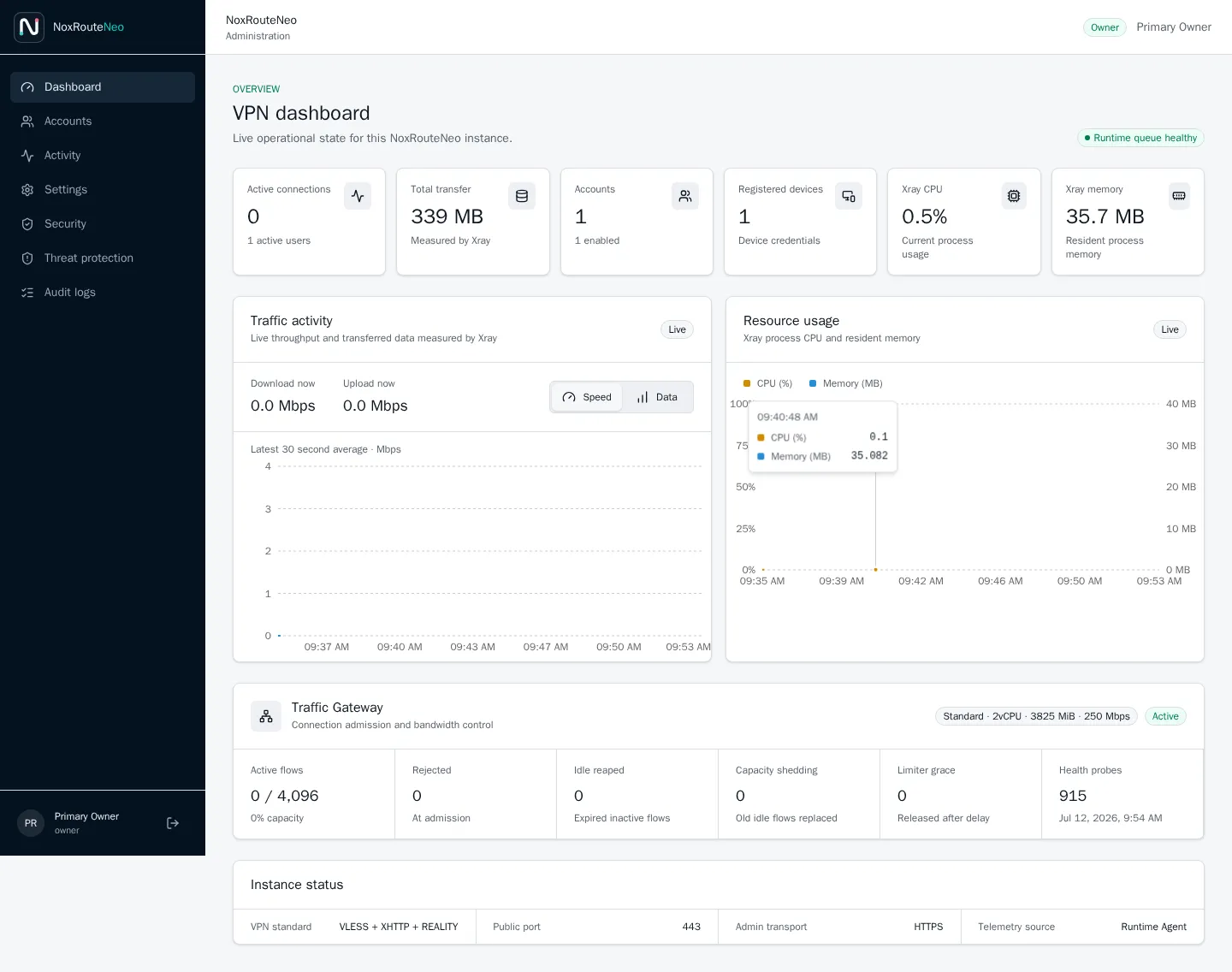
Live operational data for the VPN runtime and the host server.
Explore the admin portal
USER EXPERIENCE
A focused portal for every VPN user
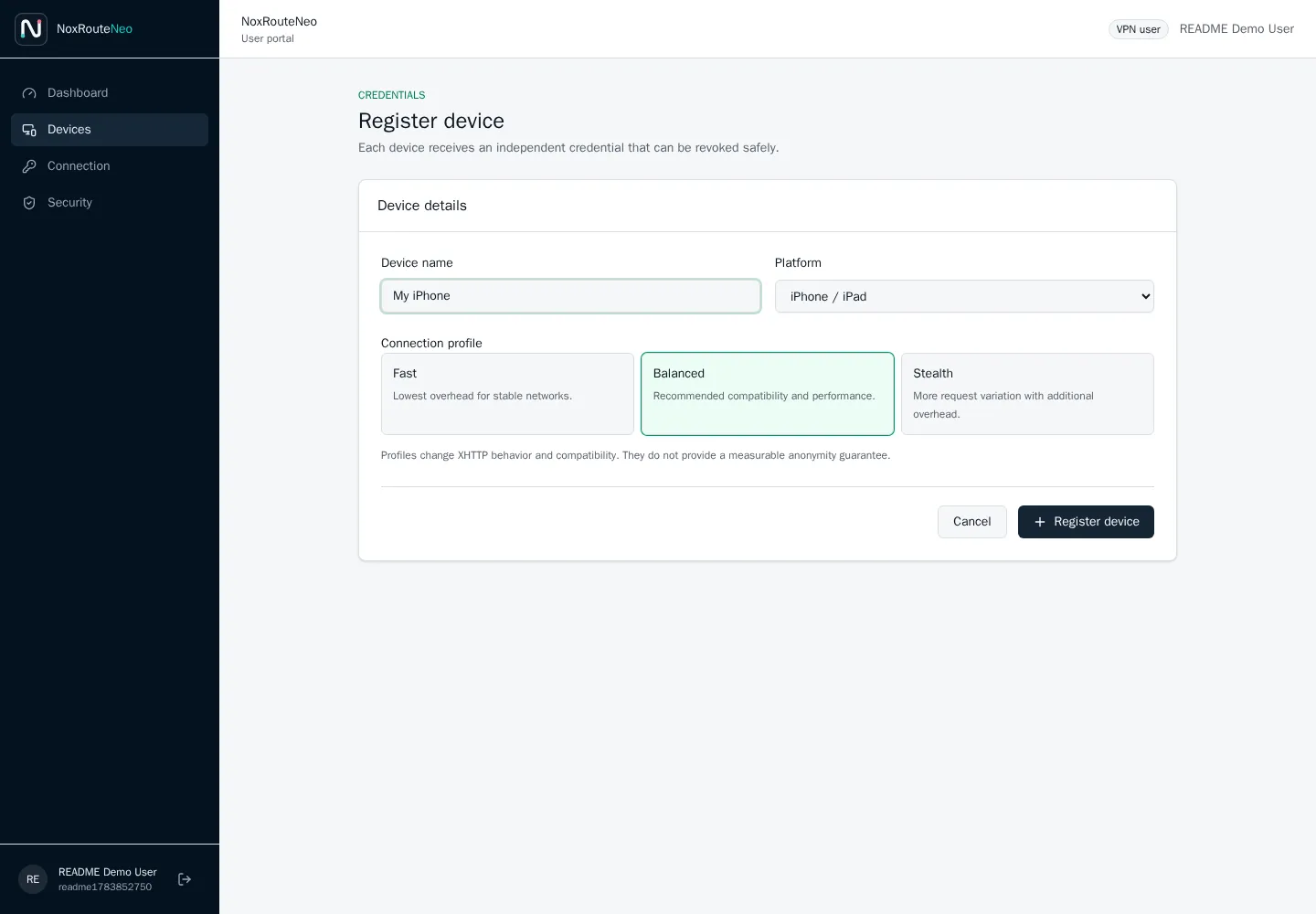
Users see only their own consumption, expiry and devices. Each phone or computer receives an independent credential that can be revoked without affecting the other devices.
- Register a phone, tablet or desktop
- Select Fast, Balanced or Stealth
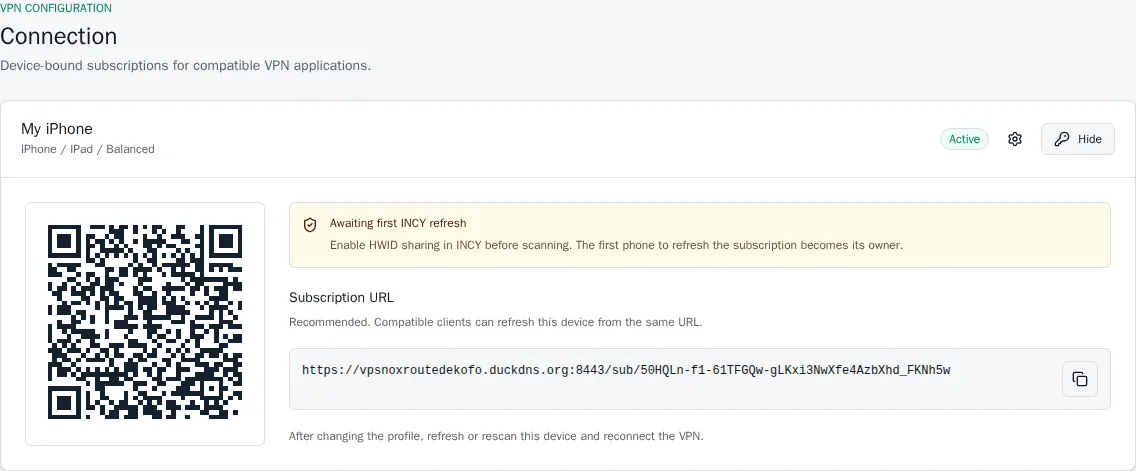
- Import with a link, QR code or subscription URL
- Review usage and revoke access
Follow the connection guide
FROM VPS TO FIRST CONNECTION
A guided deployment in four stages
Prepare
Create a DuckDNS name and obtain its account token.
Install
Run the version-pinned command on a fresh supported VPS.
Secure
Sign in with the generated owner password and enable TOTP.
Connect
Create a VPN user, register a device and import its subscription.
Install the pinned alpha release on Ubuntu or Debian
sudo apt-get update && sudo apt-get install -y curl ca-certificates git && sudo curl -fsSL https://raw.githubusercontent.com/drslid/NoxRouteNeo/v1.0.0-alpha.2/install.sh -o /tmp/noxrouteneo-install.sh && sudo env NOXROUTE_REF=v1.0.0-alpha.2 bash /tmp/noxrouteneo-install.shReview requirements before installing
DOCUMENTATION
Go from setup to daily operation
TWO DISTINCT PRODUCTS
NoxRouteNeo is self-hosted. NoxRoute will be managed.
NoxRouteNeo remains the free project for people who operate their own VPS. NoxRoute is a separate future paid service for customers who do not want to administer infrastructure and need additional managed routing options.
Discover NoxRoute