
Connect a device
NoxRouteNeo creates a separate VPN credential for every registered device. This makes it possible to revoke one phone without replacing credentials on every other device.
Supported client path
Section titled “Supported client path”| Platform | Client |
|---|---|
| iPhone, iPad and Apple Silicon Mac | INCY on the App Store |
| Android | INCY on Google Play |
| Windows and Linux | INCY Desktop releases |
| Client documentation | INCY website and HWID guide |
NoxRouteNeo is not affiliated with INCY. Client compatibility can change, so test the current client release before distributing access broadly.
Register and connect
Section titled “Register and connect”- Sign in to the NoxRouteNeo user portal and open Devices.
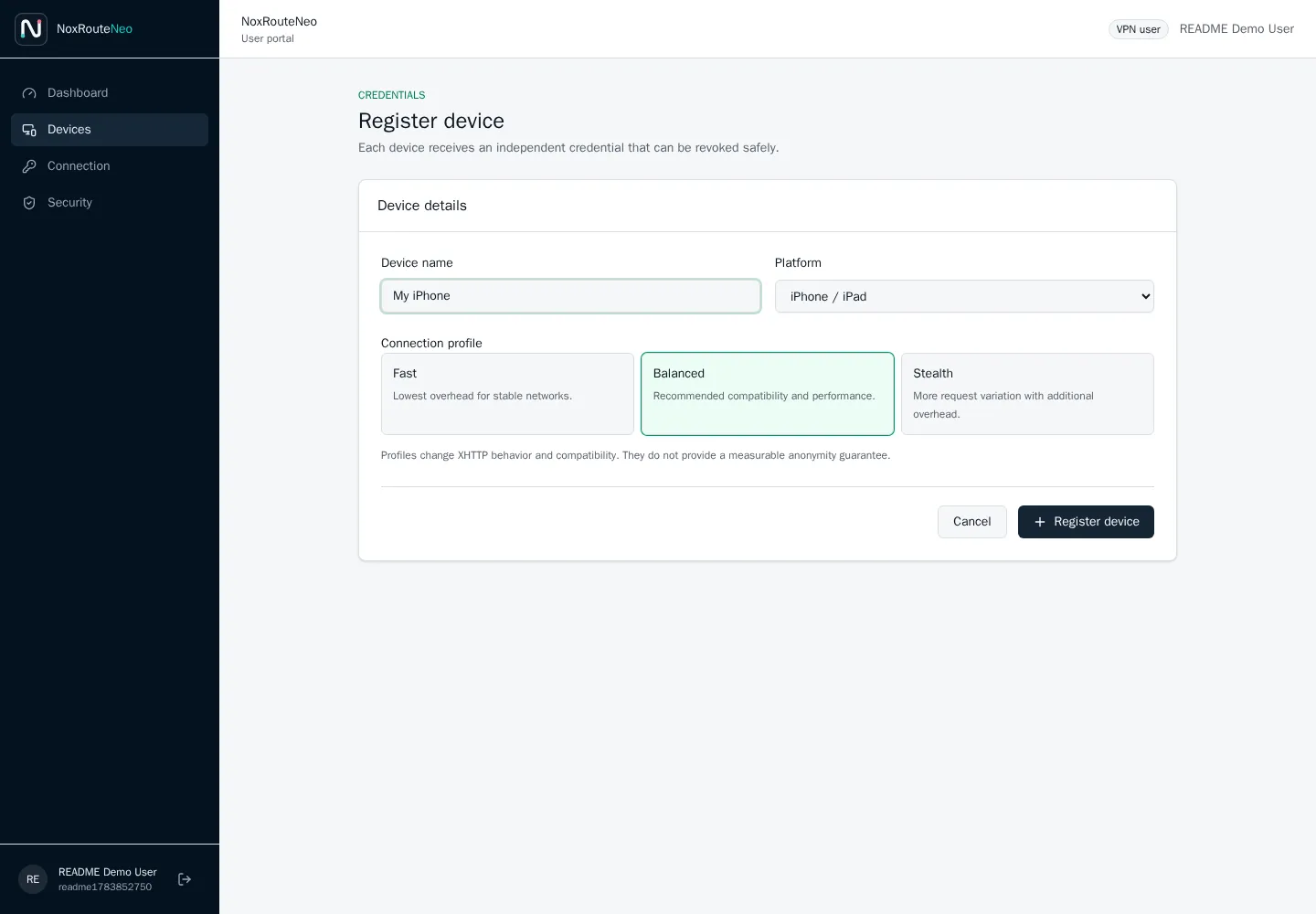
- Select Register device, enter a recognizable name and choose the matching platform.
- Select Balanced unless the administrator recommends another profile for the current network.
-
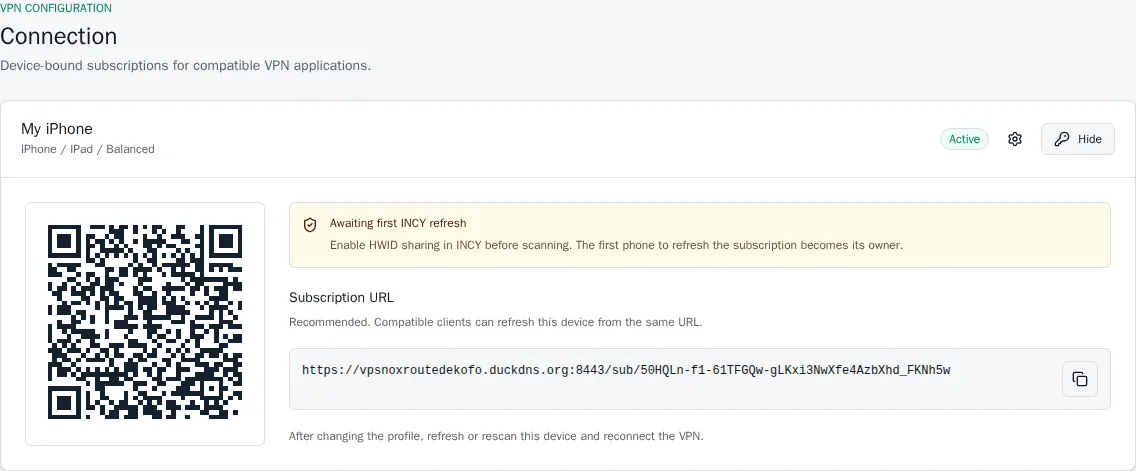
Open the new device and select Connection.
-
In INCY, enable HWID sharing for subscription requests.
-
Use Import in INCY on the same device. When direct import is unavailable, scan the QR code or paste the subscription URL.
-
Refresh the subscription in INCY and run its latency test.
-
Start the VPN and verify the observed public address through a reputable IP-check service.
Device binding
Section titled “Device binding”The first valid INCY subscription refresh binds the credential to the HWID sent by the client. A later refresh with a different HWID is rejected. NoxRouteNeo stores an HMAC digest of the identifier, not its raw value.
| Response | Meaning |
|---|---|
428 |
The client did not send the required HWID information. |
403 |
The credential is already bound to another HWID or has been revoked. |
To move access to a new phone, revoke the old device and register a replacement.
Latency
Section titled “Latency”Latency is measured by the client from its current Wi-Fi or mobile network. The server cannot provide a truthful phone-to-VPS latency value in advance. Refresh the subscription or trigger the client test when INCY does not yet display a measurement.