
Register
Create one named credential for each phone, tablet or desktop, up to the administrator-defined device limit.
The user portal intentionally exposes fewer controls than the administrator interface. A user can manage only their own account and VPN devices.
The dashboard summarizes:
Usage is aggregated from Xray counters. NoxRouteNeo does not store requested domains, URLs or browsing history.
Register
Create one named credential for each phone, tablet or desktop, up to the administrator-defined device limit.
Configure
Choose the platform and a Fast, Balanced or Stealth connection profile for that device.
Connect
Open the device connection page to use one-click import, a QR code or the subscription URL.
Revoke
Remove a lost or replaced device. Its subscription token and VPN identity stop being accepted.
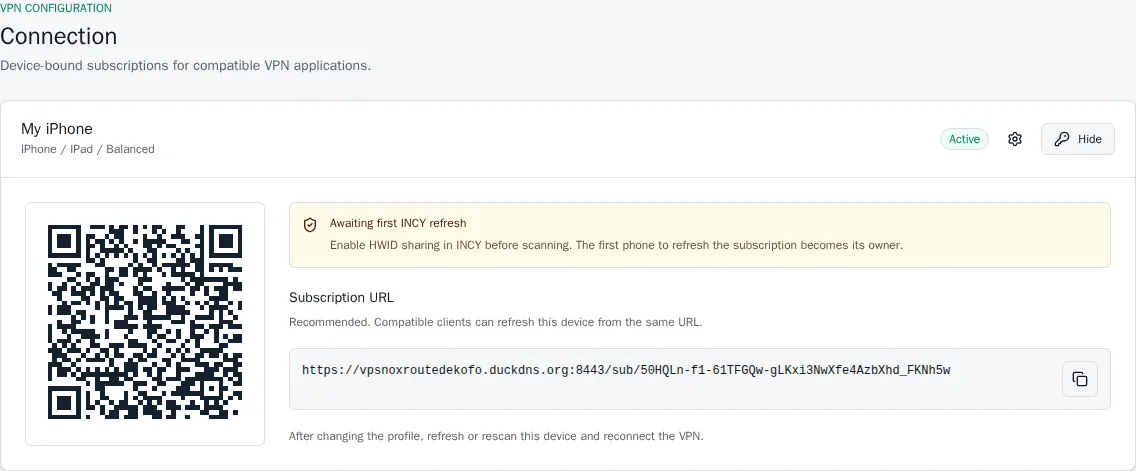
Each device receives a separate, revocable subscription rather than a shared account-wide QR code.
Users can change their password, inspect active web sessions, revoke sessions, enable TOTP and select a personal interface language. The personal language does not change the default for other accounts.